
Why Most Budget Standing Desks Are 24 Inches Deep (And Why You Want 28+)
The number on the spec sheet is optimized for the shipping box. The number your body wants is bigger.
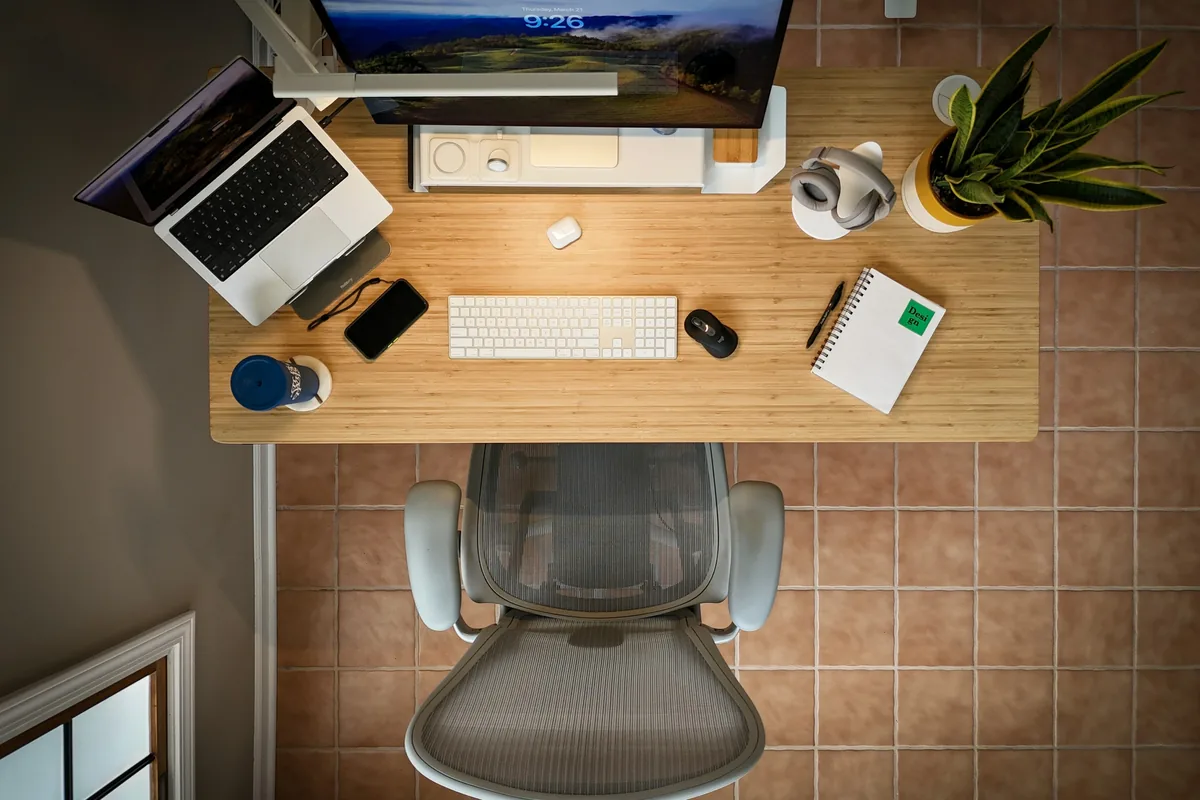
Standing desk shoppers compare height range, weight capacity, motor count, top material, and warranty. Almost nobody compares depth. And depth is one of the specs that quietly determines whether the desk is comfortable to use in the real world.
Walk through any budget catalog and you'll see the same number over and over: 24 inches. Sometimes 23.6. Sometimes 25. The cluster is striking once you notice it. Premium desks (Uplift V3, Ergodriven Tempo, Deskhaus Apex Pro) default to 30. The cheap ones default to 24. The reason isn't ergonomics. It's the cardboard box.
Why 24 inches keeps showing up
Standing desks are large, awkward objects that have to get from a factory in Asia to a doorstep in Cleveland. The cost of moving them is a meaningful percentage of the retail price, and that cost is sensitive to box dimensions in ways most buyers never see. Three thresholds in particular shape what a desk's default depth ends up being:
- Dimensional-weight pricing. UPS, FedEx, and their international counterparts charge based on the larger of actual weight and "dimensional weight" — length × width × height divided by a divisor (139 for domestic UPS Ground in the US). Every inch of desktop depth shows up directly in that calculation. A 60×24×3 desktop box has a DIM weight of about 31 lb. The same desktop at 30 inches deep is 39 lb DIM. Across a pallet of desks, across a year of shipments, the difference is real money.
- The parcel/freight cliff. Most carriers cap "regular" parcel service at around 130 inches of length-plus-girth (girth = 2×width + 2×height). Past that, your box hits "Additional Handling" or "Oversize" surcharges, then drops off parcel networks entirely and onto LTL freight, which is roughly 5–10× the cost per shipment for a comparable item. A skinnier desktop helps the box stay under the cliff. A deeper desktop pushes it over.
- Pallet utilization. A standard pallet is 48×40 inches. A 60×24 desktop can be stacked tightly on pallets of mixed orientations; a 60×30 desktop overhangs more aggressively and reduces how many units fit per shipping container leaving the factory. Container slots are not free, and that math gets passed along.
None of this is conspiracy. It's just that a manufacturer chasing the lowest possible landed cost — which is most of the budget tier — has a strong financial reason to make every desktop as shallow as it can without buyers complaining. 24 inches sits at a sweet spot: it clears the parcel/freight cliff comfortably, the DIM weight is tolerable, and the desktop still looks normal in product photos because nobody photographs desks from above.
The 24-inch number is real. It's just optimized for the box, not the human.
Why 24 inches falls short ergonomically
Lay out a typical desk setup on paper, front to back, and the inches disappear quickly:
- Monitor and stand: roughly 8–10 inches of depth, including the base or VESA mount and a few inches of clearance behind the screen for cabling.
- Keyboard and mouse zone: a full keyboard is 5–7 inches deep; you need another 2–3 inches in front of it for your hands to land naturally.
- Forearm rest zone: the front 4–6 inches of the desk should be free to support your forearms while you type. Without it, your wrists hover, which fatigues fast.
Add those up and the minimum useful depth is around 17–19 inches before any accessory shows up. On a 24-inch desk, that leaves you about 5–7 inches of slack — which sounds fine until you remember that's also where the lamp goes, the webcam, the dock, the notebook you're writing notes in, the coffee mug, the speaker, the plant. Real desks lose to clutter.
The harder failure is the monitor. OSHA's viewing-distance recommendation is 20 to 40 inches eye-to-screen, with arm's length as a quick test. On a 24-inch desk, even with the monitor pushed all the way back to the wall, the typical eye-to-screen distance ends up around 18–22 inches once you account for the stand and where you actually sit. That's at the close end of the recommended range, or just outside it. Bigger monitors make it worse: a 27-inch screen wants more like 28 inches of viewing distance, a 32-inch screen wants 30–32, a 38-inch ultrawide wants 36+. None of those distances exist on a 24-inch desk.
The compensations people make are predictable. They sit too close and squint. They push the keyboard to the front edge of the desk and lose their forearm rest. They angle the monitor back to "see more of it" and end up with a glare problem. They give up on accessories and pile them on a side table. None of these are wins.
The depth-by-monitor cheat sheet
Roughly what depth you actually want, by monitor size:
- 24-inch monitor: 28-inch desk minimum. 30 is more comfortable.
- 27-inch monitor: 30 inches.
- 32-inch monitor: 30–34 inches.
- 38-inch ultrawide / 43-inch 16:9: 34+ inches.
- Dual monitors of any size: 30 inches minimum.
None of these say 24. The category that lives at 24 inches comfortably is "laptop only, no external monitor, no peripherals" — which is not what most standing-desk buyers have at home.
What about pushing the monitor back, or using a shelf?
A monitor shelf or arm can recover some depth — instead of a chunky stand eating 8–10 inches, you get a slim shelf that takes 2–4, or an arm that anchors at the back edge. We're fans of the shelf for most setups. But neither one fixes the underlying problem on a 24-inch desk: the screen still has to sit somewhere, and the wall-to-eye distance is the wall-to-eye distance. If your desk is 24 inches and your chair is 4 inches behind the front edge, your eyes are roughly 24 inches from the wall whether the monitor uses a stand or an arm. You can't shelve your way past geometry.
What a shelf does recover is desktop surface area, which is the second problem 24-inch desks have. That's a real win. It's just not the same problem as eye-to-screen distance.
What to actually look for when shopping
Three checks before you buy:
- Make depth a hard filter, not an afterthought. 28 inches is the practical minimum for any setup with an external monitor. 30 inches is the better default and is where every premium desk in our catalog sits. Don't take "compact" or "space-saving" as a feature; on a desk you'll use 5+ hours a day, the small one is the worse one.
- If you have a 32-inch or larger monitor, or two monitors, require 30+. Anything less and you'll be sitting too close, every day, for years.
- Watch out for "depth options" where 24 is the listed default. Some manufacturers offer 24, 30, and 36 with the 24 priced as the base option and the others as upcharges. The marketing focuses on the cheap config; the ergonomic config costs more. Budget for the depth, not the headline price.
If you're looking at a 60-inch wide desk, get it 30 inches deep. If you're looking at a 72-inch wide desk, especially get it 30 deep — the wider top makes a shallow depth feel more bowling-alley than spacious. Width without depth is not the same as workspace.
Why this matters more on a sit-stand desk than a fixed desk
On a fixed-height desk, you can compensate for shallow depth with chair position and posture tricks that get you a little closer to the back of the desk. On a sit-stand desk, your geometry shifts every time you transition. Standing puts your shoulders higher above the desk, your forearms angle slightly downward, and the monitor distance you tuned for sitting is now wrong for standing. A deeper desk gives you the room to land your gear in a position that works in both modes. A shallower desk forces you to pick which posture you optimize for and live with the other one being uncomfortable.
That's the same logic that runs through almost every depth-related ergonomic recommendation: the standing geometry penalizes a constrained workspace more than the seated one does. It's the same reason your keyboard tilt matters more standing.
Bottom line
24 inches is a parcel-shipping number. It clears carrier surcharges, packs efficiently on pallets, and keeps the manufacturer's landed cost down. It does none of those things for the person typing on it.
For any setup that includes an external monitor, accessories, and a real keyboard-and-mouse workflow, 28 inches is the floor and 30+ is the right answer. Premium desks default to 30 for a reason; budget desks default to 24 for a different reason. Make sure you're buying for your reason, not the factory's.
