
Standing Desk Calculator
Find your ideal sit/stand desk dimensions. Pick the basic mode (height only) for a quick estimate, or the advanced mode (three measurements) for a more precise answer.
Your measurements
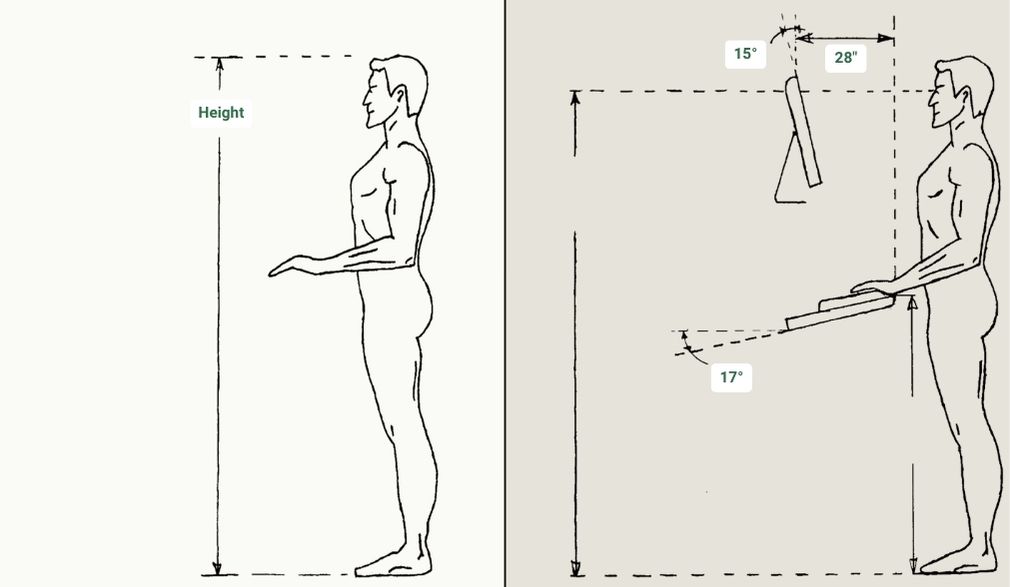
Floor to elbow when standing relaxed, with the forearm horizontal.
Elbow to wrist. Adjusts the keyboard down from your elbow at a relaxed ~20° angle.
Diagonal, in inches. Assumes a 16:9 widescreen — for ultrawides, only the distance number is reliable.
Your ideal setup
- Standing desk surface
- — Where the keyboard sits when you're standing.
- Sitting desk surface
- — Where the keyboard should be when you're seated.
- Standing eye height
- — For a 24–27″ monitor, the top of the screen should sit at this height. For larger monitors, the top should be above this — what matters is the center landing 15–20° below your gaze. More on monitor height and distance →
- Monitor top (above desk)
- — Where the top of the screen should sit, measured up from the desk surface. Stays correct in both sit and stand because the desk moves with you.
- Viewing distance
- — Eyes to screen. Push the monitor to the back of the desk; bigger screens need more depth.
Required desk height range
Any desk you buy needs to drop at least to your sit position and reach at least to your stand position. Use these as the minimum acceptable specs.
Drops to (sit)
—
or lower
Reaches (stand)
—
or higher
